

Lilubet Login
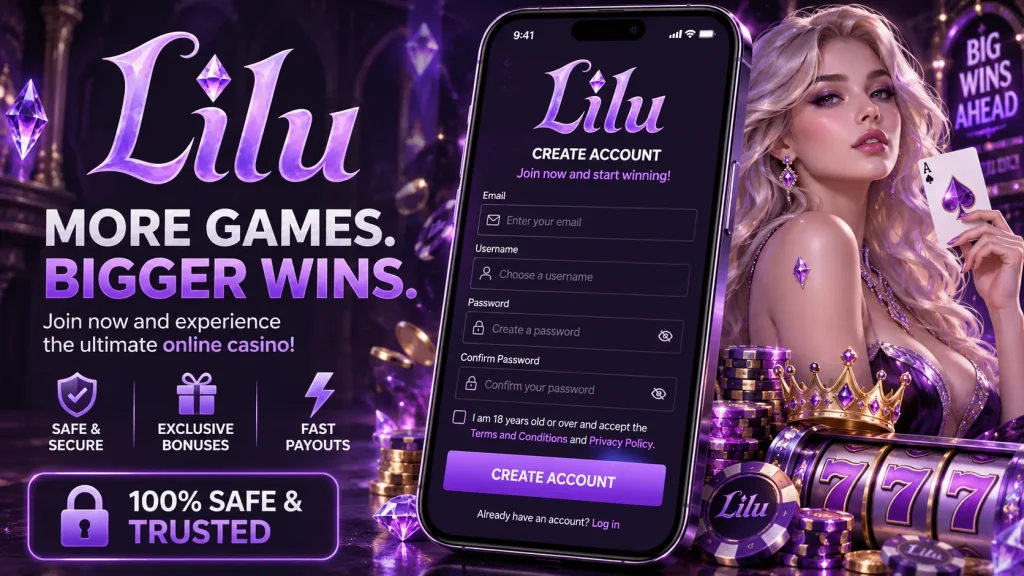
Whether you’re settling in for an evening on the slots or want to check a bet before kick-off, your Lilubet login should never be the hard part. This page walks you through signing in on web and mobile, recovering a forgotten password without the usual headaches, and what to do if something’s blocking your access. We’ve built our sign-in process to be fast for regular players and forgiving for anyone who’s hit a snag, so read on and you’ll have it sorted in a couple of minutes at most.
If you’re new here, you can find everything about who we are and what we offer on Lilubet, our homepage. But if you already have an account, let’s get you logged in.
Signing in on the website
The Lilubet sign in process on our website takes seconds once you know where to look. Click the account icon in the top right corner of any page, enter the email address and password you registered with, and confirm. If you’re on a personal device, tick “remember me” before submitting so you won’t need to retype your details every visit — though we’d still recommend logging out manually on shared or public computers, such as those in a library or internet café.
Should you ever land on a page that looks slightly off, always check the address bar reads our genuine domain before entering credentials. Bookmarking the Lilubet login page directly is a smart habit, since it removes any risk of following a spoofed link from an email or advert. Once signed in, your balance, active bets and recent game history load instantly, and your session stays secure in the background while you play.
Using the Lilubet app for a faster login
Our mobile app is where most regular players do their Lilu bet login, and for good reason. After downloading and installing it, sign in once with your usual credentials, then enable biometric access — Face ID or fingerprint, depending on your handset — from the security settings menu. From that point on, opening the app to check odds or spin a slot takes a glance or a touch, no typing required.
Combined with “stay logged in” on a trusted phone, this makes the app genuinely the quickest way to reach your account, particularly useful if you’re topping up a bet during a match or want to grab a bonus before it expires. Biometric login also adds a layer of protection, since a stolen or borrowed phone still can’t get into your account without your fingerprint or face matching what’s stored securely on the device itself.
Forgotten your password? Here’s the fix
Forgetting a password is common and nothing to worry about. On the Lilubet login screen, tap “forgotten password”, enter the email tied to your account, and we’ll send a reset link within a few minutes. Open it, choose a new password, and you’re back in immediately — no waiting period, no need to contact support unless something goes wrong along the way.
- Request the reset link using your registered email address.
- Check your inbox — and your spam or junk folder, since security emails occasionally land there.
- Click the link promptly; it’s time-limited and typically expires within an hour or two for your protection.
- If it’s expired, simply request a new one rather than reusing an old link.
- Set a fresh, unique password and sign back in straight away.
If the email never arrives at all, it’s worth checking whether the address on file is outdated — in that case, our support team can verify your identity and update it manually.
Common login problems and how to solve them
Most sign-in issues trace back to a handful of familiar causes, and nearly all of them are quick to fix. Before assuming the worst, run through the table below — it covers the majority of cases we see from UK players.
| Issue | What to do |
|---|---|
| Wrong or forgotten password | Use the “forgotten password” link rather than guessing repeatedly |
| Caps Lock or autofill entering old details | Type your password manually and check the Caps Lock key |
| Browser won’t load the login page properly | Clear cache and cookies, or try a different browser |
| Unstable connection dropping mid-login | Switch to Wi-Fi or a stronger signal and retry |
| Using a VPN or travelling abroad | Disable the VPN, as unusual locations can trigger a security flag |
| Account pending verification | Complete your KYC documents so the review can finish |
| Too many failed attempts | Wait for the temporary lock to lift, or contact support to speed things up |
Keeping your account secure
Account security starts with the basics: a strong, unique password you don’t reuse elsewhere, and two-factor authentication switched on. With 2FA enabled, even if someone somehow obtained your password, they’d still need the one-time code from your authenticator app to get in — and we’d recommend an authenticator app over SMS, since text messages can occasionally be intercepted. We’ll also send login alerts when your account is accessed from a new device, so you’ll know immediately if something looks wrong.
Because password resets go through your email, keeping that inbox secure with its own strong password and 2FA matters just as much as protecting your Lilubet login itself. Never share your password or verification codes with anyone, including someone claiming to be from our team. We will never ask for your password or a verification code by email, live chat or phone — if you receive a message like that, treat it as phishing and contact us directly through our official channels rather than clicking any links inside it.
What happens if your account gets blocked
There are a few legitimate reasons an account might be temporarily locked, and none of them are cause for panic. Repeated failed login attempts trigger an automatic cooldown for your protection. A pending KYC review means we simply need your identification documents before lifting restrictions. Occasionally, an account is flagged for a routine security check following unusual activity, such as a login from an unfamiliar country. And if you’ve set self-exclusion or deposit limits through our responsible gambling tools, those restrictions stay in place exactly as you configured them, in line with UK Gambling Commission requirements. In each case, reaching out to our support team with your registered email is the fastest route to a resolution.
Getting help when you need it
If you’ve tried the steps above and you’re still locked out, our support team is available 24/7 via live chat, with email support as a backup for anything less urgent. Have your registered email and username ready — never share your password, since genuine support staff will never ask for it. This lets us verify your account and resolve the issue in a single conversation rather than several back-and-forth messages.
Whether it’s a stubborn reset link, a flagged login from a recent trip abroad, or a verification query, our UK-based support channels are there to sort it without unnecessary delay. We’d rather you spend your time enjoying the games than fighting with a login screen, so don’t hesitate to reach out the moment something doesn’t look right.